
Article summary
- A website that generates many vague enquiries can create more admin without creating more revenue.
- Good lead qualification starts with a clear offer and a focused call to action, not a longer form.
- Ask only the questions that change what happens next, such as service type, urgency, location, budget range or preferred appointment.
- Route leads automatically to the right inbox, calendar, CRM stage or follow-up sequence.
- Measure completed forms, booked calls and qualified opportunities rather than counting page views alone.
Key takeaways
- Use one primary conversion goal per landing page.
- Replace generic message boxes with a small number of useful qualification questions.
- Explain why sensitive or effortful information is being requested.
- Create different next steps for urgent, standard and low-fit enquiries.
- Use AI to summarise and classify leads, while keeping important decisions with people.
- Track the journey from form submission to booked call or sale.
More enquiries are not always the goal
A website can generate ten enquiries and still create almost no useful business.
The problem is often not traffic. It is what happens between a visitor clicking the call to action and your team deciding what to do next.
A generic contact form usually asks for a name, email address and message. That is easy to build, but it pushes all the qualification work onto the business owner. You open the inbox, interpret an unclear request, ask follow-up questions, wait for a reply and discover that the visitor needed a service you do not offer.
A better website helps both sides earlier. It gives the visitor a clear path, asks a few useful questions and routes the enquiry to the right next step.
Start with one conversion goal
Before improving a form, decide what the page should achieve.
A landing page for a physiotherapy clinic may aim for an appointment booking. A consultant may want a discovery call. An electrician may need a quote request with photos and location. An agency may want a project brief.
When a page has five competing buttons, the visitor has to design the process for you. A stronger page uses one primary action and one lower-commitment alternative.
For example:
- Primary action: Book a consultation.
- Alternative action: See services and pricing.
This structure is especially important for a conversion-focused landing page. The page should reduce uncertainty and make the next step obvious.
Ask questions that change what happens next
Every field should earn its place.
Useful qualification questions are questions that affect routing, preparation, timing or fit. Depending on the business, these may include:
- Which service do you need?
- Where is the project located?
- When do you want to start?
- Is the request urgent?
- What budget range have you planned?
- Do you prefer a call, email or appointment?
- Are there files or photos that would help us assess the request?
Avoid asking for information because it might be useful someday. Ask for it because the answer changes the next action.
A clinic may route existing patients differently from new patients. A trade business may prioritise emergencies. A consultant may offer different booking calendars based on project type. A marketing agency may send a small campaign request to one workflow and a full website brief to another.
Keep the form short, but not empty
There is a false choice between a one-field form and a twenty-field questionnaire.
Most small businesses need something in the middle: enough information to respond intelligently, but not so much effort that a good prospect gives up.
A practical structure is:
1. Contact details. 2. One service-selection question. 3. One timing or urgency question. 4. One open-text field for context. 5. An optional upload or budget field when it genuinely helps.
You can also split the process into steps. The first screen can feel simple, while later questions appear only when relevant. This is called conditional logic, and it prevents visitors from seeing questions that do not apply to them.
Explain why you are asking
Visitors are more willing to share information when they understand the benefit.
Instead of writing only “Budget,” add a short explanation: “This helps us recommend the right scope and avoid suggesting an option that does not fit.”
Instead of asking for photos without context, explain: “Photos help us assess the request before we call you.”
Clear microcopy builds trust. It also improves the quality of answers because visitors know what kind of information is useful.
Route each lead to the right next step
Qualification becomes valuable when the website acts on it.
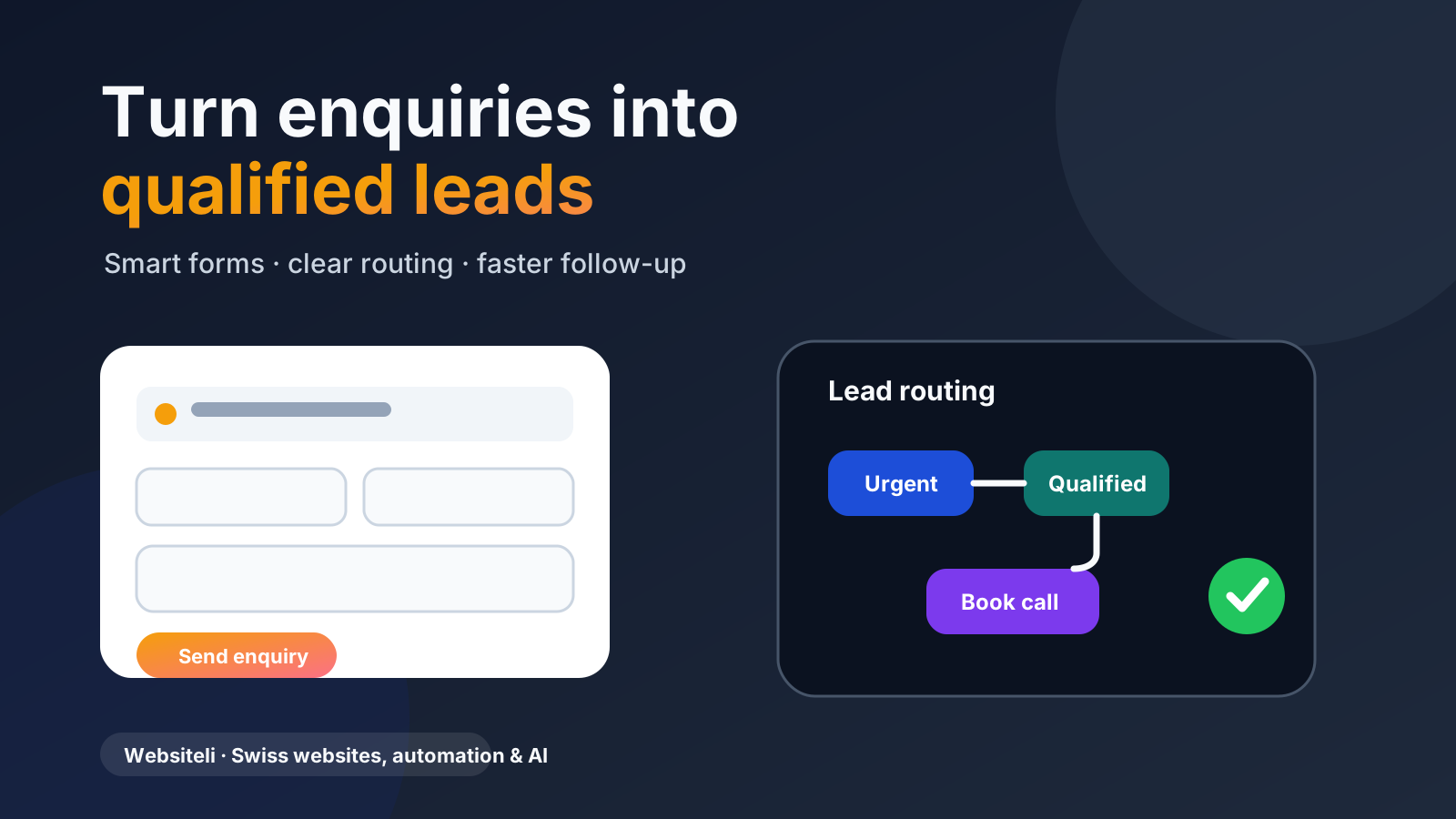
A simple routing workflow might look like this:
Website form
-> Service type identified
-> Lead saved in CRM
-> Confirmation sent
-> Urgent lead alerts team
-> Standard lead receives booking link
-> Low-fit lead receives helpful alternative
This does not require a large software project. A basic business automation setup can connect the form to email, a calendar, a CRM or a task list.
The visitor gets a faster and more relevant response. Your team gets structured information instead of another vague message in the inbox.
Use AI as an assistant, not a gatekeeper
Free-text enquiries are useful, but they can be inconsistent. One person writes two words. Another writes six paragraphs.
AI can help by:
- summarising the request;
- identifying the likely service category;
- detecting urgency words;
- extracting dates, locations and requested outcomes;
- flagging missing information;
- drafting a reply for review.
This is a good use of an AI/Data Upgrade because it reduces repetitive reading and sorting. The important boundary is that people should remain responsible for sensitive decisions, final pricing and relationship-building.
Create a response for every outcome
Many websites treat the successful form submission as the end. The visitor sees “Thank you” and waits.
A stronger experience explains what happens next.
For a qualified lead, the confirmation page can offer a calendar. For an urgent request, it can display the right phone number. For a lower-fit enquiry, it can suggest another service, resource or partner. For a complex project, it can explain when the team will respond and what information to prepare.
This reduces uncertainty and cuts down on follow-up emails such as “Did you receive my message?”
Measure qualified outcomes
Page views are useful, but they do not tell you whether the website is creating business.
Track actions such as:
- form started;
- form completed;
- booking calendar opened;
- consultation booked;
- qualified lead created;
- proposal requested;
- sale completed.
Google Analytics events can record meaningful interactions, while a CRM can show what happened after the enquiry. Together, they help answer a more useful question: which pages and campaigns create qualified opportunities?
A practical setup for a Swiss small business
You do not need to automate everything at once.
A sensible sequence is:
1. Clarify the offer and primary call to action. 2. Improve the form with three to five useful questions. 3. Add a clear confirmation and next step. 4. Route submissions to the correct person or calendar. 5. Save leads in a structured list or CRM. 6. Track completed forms and booked calls. 7. Add AI summarisation only when enquiry volume justifies it.
Websiteli can build this in stages: a focused landing page, a broader conversion journey, or connected lead routing and automation. Scope and responsibilities are agreed in a tailored proposal.
The bottom line
A good website does not simply collect messages. It helps the right visitors take the right next step.
For Swiss small businesses, better lead qualification means less inbox administration, faster responses and more time spent on opportunities that actually fit.
The best starting point is not a complicated AI system. It is a clear offer, a focused page and a form that asks only what your team needs to act.
Qualification should improve the conversation, not block it
The goal is to collect just enough context to route the enquiry and prepare a useful response. Every extra required field should earn its place by changing what happens next.
For a website that connects forms, tracking and follow-up, see Websiteli's business website service and lead generation automation.